
WhatsApp Introduces Video Messaging for iPhone Users
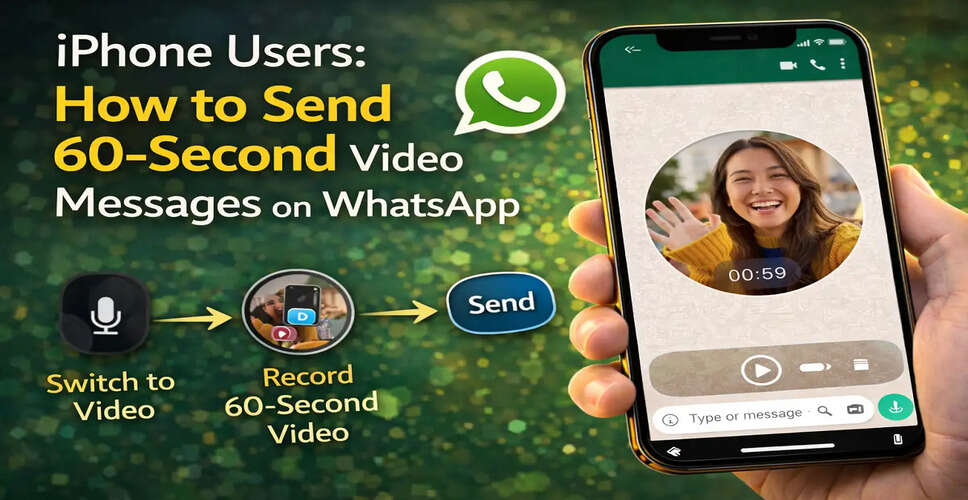
Enhancing Communication with Video Messages
WhatsApp is enhancing its messaging platform by rolling out features that make chats more interactive and expressive. A notable new addition is the video message feature, which enables users to record and send brief video replies directly within their conversations.
Initially launched for Android, this feature is now accessible to iPhone users as well. With this update, users can effortlessly record 60-second video messages and share them with friends, family, or colleagues without leaving the chat interface.
Unlike traditional videos that require recording through the camera app or uploading from the gallery, video messages can be created instantly while chatting. This functionality allows users to respond with facial expressions, gestures, or quick demonstrations.
WhatsApp aims to provide a more personal communication method with this feature. The company states that video messages enable users to express emotions and reactions more effectively than text or voice messages.
Understanding WhatsApp Video Messages
Video messages are short real-time video clips that can be recorded directly within a WhatsApp chat window. These clips can last up to 60 seconds, allowing users to respond to messages with video instead of text or voice.
This feature operates similarly to voice notes but utilizes the device’s camera instead of the microphone.
Common applications for video messages include:
- Sending quick greetings or reactions
- Sharing personal moments
- Visually explaining something
- Responding to messages in a more expressive manner
As with all WhatsApp communications, video messages are secured with end-to-end encryption, ensuring that only the sender and recipient can view the content.
Feature Availability
The video message feature is being gradually rolled out to WhatsApp users. It is currently available for both Android and iOS devices, but users must ensure they are using the latest version of the WhatsApp app to access it.
If the feature is not visible, updating the application from the Apple App Store may enable it.
Steps to Record and Send a Video Message on WhatsApp (iPhone)
To send a video message via WhatsApp on your iPhone, follow these steps:
Step 1: Update the WhatsApp Application
Open the Apple App Store and ensure your WhatsApp app is updated to the latest version.
Step 2: Open WhatsApp
Launch WhatsApp and navigate to the chat conversation where you wish to send the video message.
Step 3: Tap the Microphone Icon
Look at the bottom-right corner of the chat screen.
You will see the microphone icon, typically used for recording voice messages.
Tap this icon once, and it will switch to a video camera icon.
Step 4: Start Recording the Video Message
Tap the video icon to begin recording.
WhatsApp will display a brief three-second countdown, after which the recording will commence.
You can record a video message lasting up to 60 seconds.
Step 5: Send the Video Message
Once the recording is finished, the video message will be automatically sent to the recipient.
The video appears as a round video clip in the chat, which can be tapped to play.
How to Cancel a Video Message
If you decide to cancel while recording, WhatsApp offers a straightforward method to do so.
To cancel the recording, simply slide your finger to the left during the recording. This action will discard the video message.
Deleting Video Messages
Yes, video messages can be deleted just like any other WhatsApp message.
Users have the option to:
- Delete the message for themselves
- Delete it for everyone in the chat (within the allowed time limit)
The introduction of video messages enhances WhatsApp’s messaging platform. By allowing users to record quick video replies directly within chats, WhatsApp fosters more personal and engaging conversations.
For iPhone users, this feature provides a convenient way to share reactions, greetings, or brief explanations through video without the need to record and upload separate clips.
As messaging applications continue to evolve, features like video messages are transforming simple text conversations into richer and more expressive communication experiences.