
WhatsApp Introduces Mobile Recharge Feature in India

WhatsApp Mobile Recharge 2026
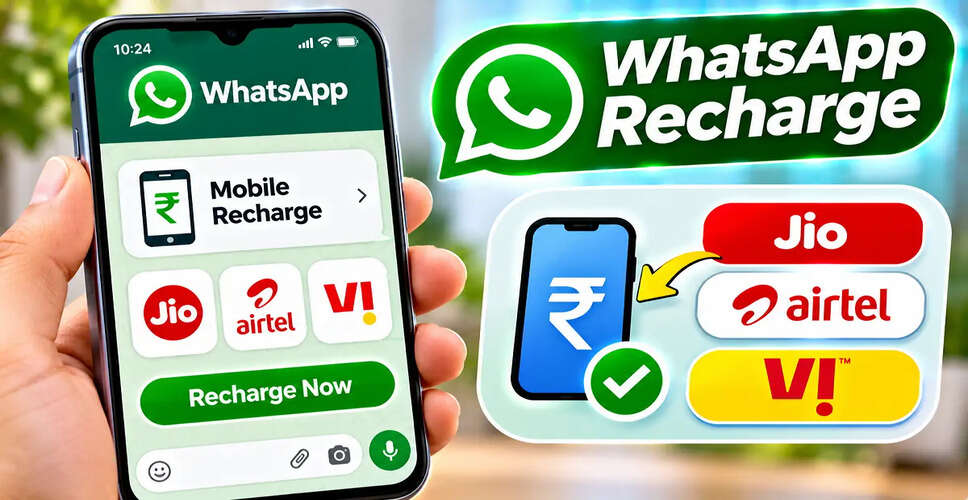
WhatsApp Mobile Recharge 2026: WhatsApp is set to launch a mobile recharge feature in India, enabling eligible users to recharge their prepaid numbers directly via the messaging app. As reported by a tech news outlet, this service will support major telecom providers such as Reliance Jio, Bharti Airtel, and Vodafone Idea (Vi), with payment processing managed by PayU.
This feature will be rolled out gradually, meaning it may not be available to all users at once. Those who have access can choose a prepaid recharge plan, review its benefits, and complete the payment without needing to switch to a different recharge app.
How to Recharge Your Mobile Using WhatsApp
Quick Guide: Mobile Recharge via WhatsApp
| Question | Answer |
|---|---|
| Where can I find the recharge option? | WhatsApp > Payments > Mobile Recharge |
| Which telecom operators are supported? | Jio, Airtel, and Vi |
| Can I recharge someone else's number? | Yes, for eligible prepaid connections |
| What payment methods can I use? | UPI, debit cards, and credit cards |
| Who processes the payments? | PayU |
| Is the feature available to everyone? | No, it depends on the rollout |
| What if I can't find the option? | Update WhatsApp and check again later |
Note: The availability of this feature, along with supported payment methods and recharge plans, may vary by account. The rollout details have not been independently verified against an official announcement from Meta.
Steps to Recharge Jio, Airtel, or Vi via WhatsApp
How to Recharge Your Mobile
If you have access to the Mobile Recharge feature, follow these steps:
- Open WhatsApp on your smartphone.
- Navigate to the Payments section.
- Select Mobile Recharge.
- Input the prepaid mobile number you wish to recharge.
- Verify the telecom operator and applicable region.
- Browse through the available recharge plans.
- Choose a plan based on price, validity, data, and calling benefits.
- Confirm the mobile number, plan, and total payment amount.
- Select a payment method and complete the transaction.
- Check for recharge confirmation and transaction status.
The exact names of the menus and steps may vary based on your WhatsApp version and account settings.
Supported Telecom Operators
Which Telecom Operators Are Supported?
The service is initially available for prepaid customers of three major Indian telecom operators:
| Telecom Operator | Recharge Availability |
|---|---|
| Reliance Jio | Eligible prepaid connections |
| Bharti Airtel | Eligible prepaid connections |
| Vodafone Idea (Vi) | Eligible prepaid connections |
| BSNL | Not confirmed |
Support for additional operators has not been confirmed in the provided information.
Users should check their own WhatsApp account for available options before assuming support for a specific operator.
Recharging Another's Mobile Number
Can You Recharge Someone Else's Mobile Number?
Yes, users can recharge eligible prepaid numbers for family or friends. Simply enter the recipient's mobile number, select the desired plan, and complete the payment.
Ensure to verify the number and operator before confirming, as a recharge sent to the wrong number may be challenging to reverse.
Choosing the Right Recharge Plan
How to Choose the Right Recharge Plan
WhatsApp users can compare available plans prior to making a payment. Key details to check include:
| Plan Detail | What to Verify |
|---|---|
| Price | Final amount payable |
| Validity | Duration the plan remains active |
| Mobile Data | Daily or total data allowance |
| Calling | Unlimited or limited calling benefits |
| SMS | Included message allowance |
| Additional Benefits | OTT subscriptions or other bundled services |
Recharge prices and benefits may vary by operator, telecom circle, and plan. Always review the final plan details before proceeding with payment.
Payment Options for WhatsApp Recharge
WhatsApp Recharge Payment Options
As per reports, PayU is responsible for processing payments for the WhatsApp recharge service. Users can reportedly use UPI, debit cards, and credit cards for transactions.
However, the payment methods available may depend on the user's account eligibility and payment interface. For UPI transactions, users should authorize payments securely, while card payments may require additional bank verification.
Never share your UPI PIN, card PIN, or OTP with anyone claiming to assist with a recharge.
Checking Recharge Success
How to Check Whether Your Recharge Was Successful
After completing the payment, WhatsApp may show the transaction status and confirmation details. Users can also check the Payments section for the transaction record, where applicable.
If the payment is marked successful but the recharge benefits are not activated, check the telecom operator's official app or customer support. Avoid making the same payment again immediately, as delays in processing could lead to duplicate transactions.
What to Do if Recharge Fails
Money Deducted but Recharge Failed: What Should You Do?
If your money has been deducted but the recharge was unsuccessful, first check the transaction status. Keep a record of the payment reference number, recharge amount, and transaction date.
Refunds for failed transactions may typically take three to five working days, but this is not a guaranteed timeframe as processing times can vary.
If the amount is not refunded within the expected period, use the official transaction support channel to file a complaint. Verify current contact information through the official payment interface before sharing transaction details.
Incorrect Recharge Issues
What Happens if You Recharge the Wrong Number?
A recharge completed to an incorrect but active mobile number may not be reversible. Refunds or corrections depend on the policies of the operator and payment provider.
Therefore, users should double-check the mobile number, operator, and selected plan before authorizing payment.
Missing Recharge Option
WhatsApp Mobile Recharge Option Not Showing?
The feature is being rolled out in phases, so if you do not see Mobile Recharge in your account, check for an updated version of WhatsApp in the Google Play Store or Apple App Store.
After updating, revisit the Payments section. If the option is still unavailable, it may not yet be enabled for your account. Updating the app does not guarantee immediate access.
Avoid unofficial links or applications claiming to activate the feature.
Availability on Different Devices
Is WhatsApp Mobile Recharge Available on Android and iPhone?
The recharge feature is intended for eligible users on both Android and iOS devices. However, availability may vary between devices and accounts during the rollout.
Users should rely on the options available within their official WhatsApp application rather than third-party claims about feature activation.
Conclusion
Conclusion
WhatsApp's new mobile recharge feature could provide Jio, Airtel, and Vi prepaid customers with a convenient method to recharge their numbers. Eligible users may browse recharge plans, select payment methods, and review transactions directly through WhatsApp's Payments section.
However, since the service is being introduced gradually, not all accounts may have immediate access.
Before completing a recharge, ensure to verify the recipient's mobile number, selected plan, and final amount. If a transaction fails, check its status before attempting another payment.
Editorial Note: Information regarding the WhatsApp recharge rollout, supported telecom operators, payment methods, and estimated refund timelines is based on the provided media report. Users should confirm current availability and transaction conditions through WhatsApp and the relevant payment provider.