
Convenient Methods to Order Your HP Gas Cylinder
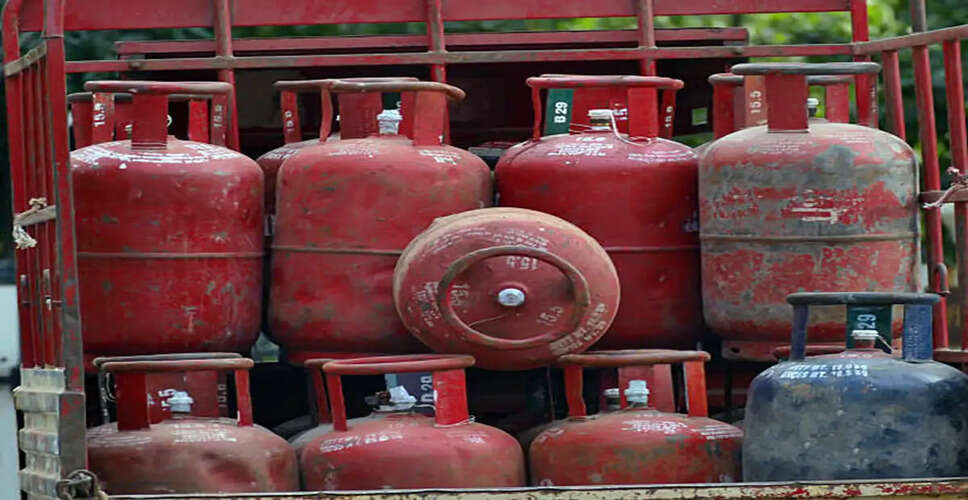

How to Easily Book an HP Gas Cylinder
Booking an HP Gas Cylinder Made Easy: Recently, there have been reports of LPG gas cylinder shortages across various regions, leading to long queues outside distribution centers. However, there's no need to wait in line; you can conveniently order a cylinder from home using several straightforward methods.
According to a recent update from Hindustan Petroleum Corporation Limited (HPCL) on 'X' (formerly Twitter), an impressive 96.4% of customers are now opting to book their gas cylinders from home, a shift that has greatly improved convenience and saved time. Here are seven methods to book your HP GAS cylinder...
1. HP Pay App
The HP Pay app allows you to order or request a refill for your gas cylinder. Simply download the app from the Google Play Store or the App Store, log in with your details, and proceed to book your cylinder and make the payment.
2. WhatsApp Booking
You can also use WhatsApp to book your HP Gas cylinder. Just send a 'Hi' message from your registered mobile number to 9222201122 and follow the instructions provided.
3. SMS Booking
To book via SMS, send the message 'BOOK' from your registered mobile number to either 8888823456 or 9493602222.
4. Missed Call Booking
For booking through the missed call service, simply give a missed call from your registered mobile number to 9493602222, and your cylinder will be booked automatically.
5. IVRS Call
You can book HP GAS cylinders through an IVRS (Interactive Voice Response System) call by dialing 8888823456 and following the voice prompts.
6. Payment Apps
Various payment apps like Paytm, PhonePe, and Amazon Pay can also be used to book an HP GAS cylinder. Open the app, search for "LPG," select "HP," and proceed with the booking.
7. Online Booking
You can also book your HP GAS cylinder through the website http://myhpgas.in.
PC Social Media